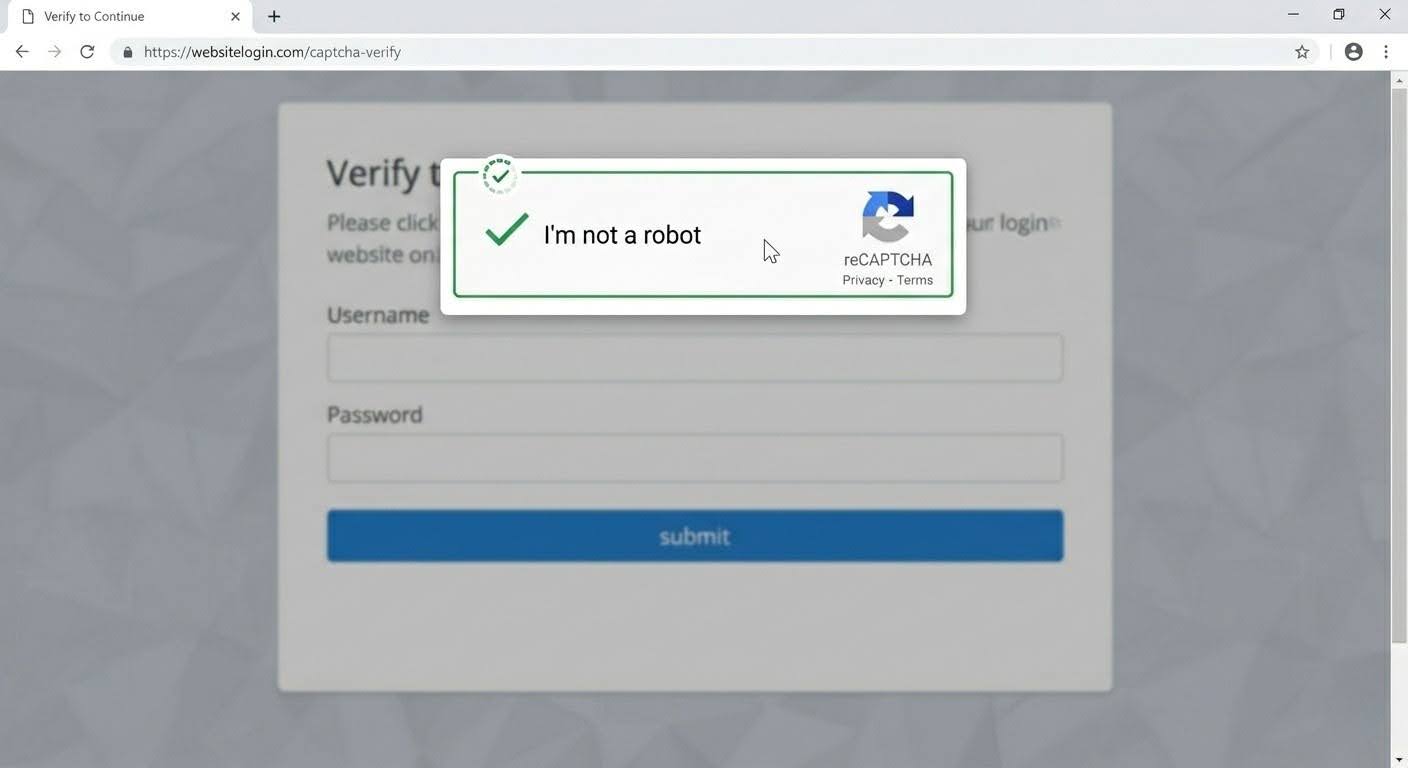
We want to make you aware of a recent phishing trend circulating on Instagram and other platforms involving fake CAPTCHA verification screens. These scams are designed to appear like legitimate “I’m not a robot” checks but instead prompt users to follow unusual steps—such as pressing keyboard shortcuts or pasting commands into a system window. These actions can silently install malware (including credential-stealing programs) and compromise sensitive information like saved passwords, banking details, and cryptocurrency wallets.
CAPTCHA screens are simple security checks used by websites to confirm that a user is a real person and not an automated bot. You’ve likely seen CAPTCHA in forms like checking a box (“I’m not a robot”), selecting images (e.g., traffic lights or crosswalks), or typing distorted letters and numbers. Please be aware that legitimate CAPTCHA tools—such as those used by Google on trusted sites—will never ask you to run commands, paste code, or use system-level shortcuts.
Red flags include:
unexpected pop-ups
instructions beyond simply clicking images or a checkbox
unfamiliar or suspicious website URLs
If you encounter any CAPTCHA prompt that behaves this way, close the page immediately and do not interact further. To protect yourself, avoid pasting commands into your device, use a password manager when possible, and ensure your system security tools are up to date. If you believe you may have engaged with a suspicious prompt, disconnect from the internet, run a malware scan, and update your passwords from a separate, secure device.


" height="23.912px" id="wp0kawXKP" width="24px"/><path d="M 10.074 11.225 L 10.747 7.558 L 6.827 7.558 L 6.827 6.261 C 6.827 4.323 7.587 3.578 9.555 3.578 C 10.166 3.578 10.658 3.593 10.942 3.622 L 10.942 0.298 C 10.405 0.149 9.093 0 8.332 0 C 4.322 0 2.474 1.893 2.474 5.978 L 2.474 7.558 L 0 7.558 L 0 11.225 L 2.474 11.225 L 2.474 19.205 C 3.897 19.558 5.372 19.648 6.827 19.47 L 6.827 11.225 L 10.073 11.225 Z" fill="rgb(255, 255, 255)" height="19.55876633959939px" id="rQE9cOqAi" transform="translate(6.625 4.442)" width="10.942px"/></g></svg>)
" width="22px"><path d="M 0 0 L 22 0 L 22 22 L 0 22 Z" fill="transparent" height="22px" id="g77oKxIqR" width="22px"/><path d="M 20.376 0 L 1.624 0 C 0.727 0 0 0.727 0 1.624 L 0 20.376 C 0 21.273 0.727 22 1.624 22 L 20.376 22 C 21.273 22 22 21.273 22 20.376 L 22 1.624 C 22 0.727 21.273 0 20.376 0 Z" fill="rgb(10, 102, 194)" height="22px" id="xNWzsGQxr" width="22px"/><path d="M 0.238 15.762 L 3.546 15.762 L 3.546 5.257 L 0.238 5.257 Z M 0.838 3.475 C 1.148 3.685 1.515 3.798 1.889 3.8 C 2.397 3.81 2.887 3.614 3.247 3.256 C 3.607 2.898 3.806 2.41 3.799 1.902 C 3.8 0.997 3.162 0.216 2.274 0.038 C 1.387 -0.141 0.496 0.332 0.147 1.167 C -0.202 2.003 0.087 2.968 0.838 3.475 Z M 12.431 15.772 L 15.738 15.772 L 15.738 9.272 C 15.738 6.064 13.745 4.969 11.899 4.969 C 10.193 4.969 9.074 6.073 8.755 6.72 L 8.712 6.72 L 8.712 5.264 L 5.531 5.264 L 5.531 15.772 L 8.84 15.772 L 8.84 10.075 C 8.84 8.557 9.802 7.817 10.783 7.817 C 11.712 7.817 12.431 8.339 12.431 10.032 Z" fill="rgb(255, 255, 255)" height="15.771623512903847px" id="cdNQ6QfFj" transform="translate(3.012 2.979)" width="15.738439668019623px"/></g></svg>)
" height="19.886px" id="aCmdPBwVg" transform="translate(1 2)" width="22px"/></svg>)